Flowcharts and Algorithms Basics for Beginners

Long before anyone writes a program, they plan what the program should do, step by step. That plan is called an algorithm, and its picture is called a flowchart. Learning flowcharts algorithms basics beginners need starts not with a computer, but with everyday routines: getting ready for school, making a cup of tea, or crossing a road safely. Each of these is already an algorithm, a list of steps in order. This guide turns those routines into flowcharts, then introduces the symbols programmers use.
What Is an Algorithm?
An algorithm is a clear list of steps that solves a problem or completes a task, in the right order. A recipe is an algorithm. A set of directions to a friend's house is an algorithm. The steps must be clear enough that another person can follow them without guessing, and they must be in the right order, because a recipe that says to eat the cake before baking it is useless. Computers are very good at following steps quickly and exactly, which is why programmers write algorithms first and programs second.
A good algorithm has three qualities. It is clear, so every step means one thing. It is complete, so no needed step is missing. And it ends, so the steps stop when the task is done. An algorithm that never ends is like directions that never arrive: it may be interesting, but it does not solve the problem. Testing an algorithm means walking through it slowly, like an actor rehearsing lines, and checking that each step makes sense.
From Routine to Steps
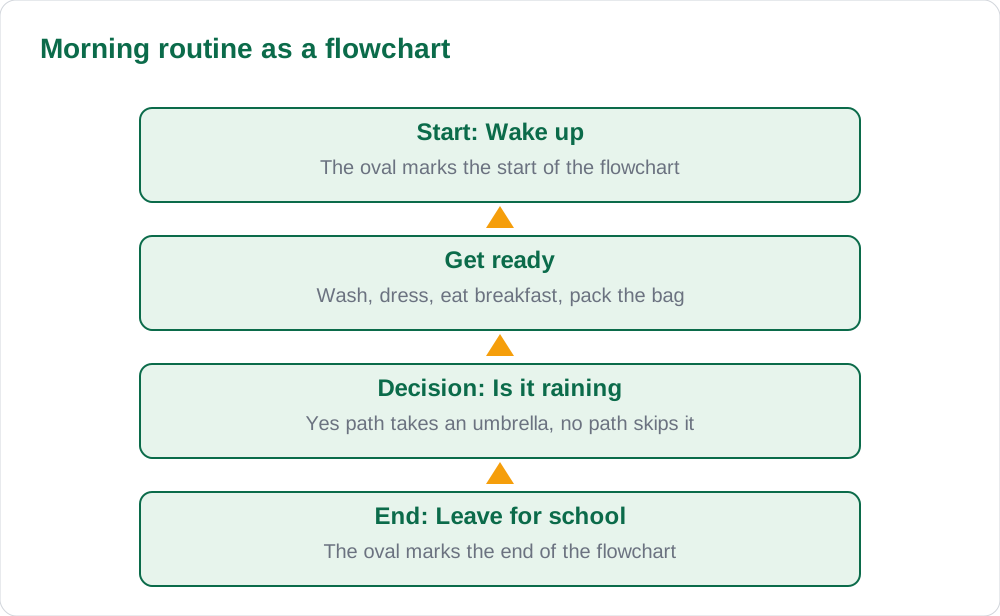
Take the routine of getting ready for school and write it as numbered steps: wake up, wash, get dressed, eat breakfast, pack your bag, check your timetable, leave home. Each step is small and clear, and the order matters. Packing the bag before checking the timetable would be a mistake, because the timetable decides which books to pack. Writing routines as steps is the first skill of algorithmic thinking, and it needs no computer at all.
Now improve the routine by adding a decision. If it is raining, take an umbrella; otherwise, leave it. This if step is called a condition, and it is one of the most important ideas in computing. Many programs are long lists of steps with conditions that choose different paths. When you can write a routine with one or two conditions, you are already thinking like a programmer.
- Write steps small, clear, and in the right order.
- Check that no needed step is missing.
- Add a condition: if something is true, do this, otherwise do that.
- Walk through the steps slowly to test them before drawing anything.
Flowchart Symbols You Need
A flowchart draws an algorithm with shapes and arrows. The oval, called a terminator, marks the start and the end. The rectangle marks a process, a step where something happens, such as wash or add the numbers. The parallelogram marks input or output, where information enters or leaves, such as read the marks or show the total. The diamond marks a decision, a question with two answers, usually yes or no. Arrows show the order of the steps.
You only need these four shapes for most beginner flowcharts, and using them correctly matters more than drawing them beautifully. Every flowchart starts with one start oval and ends with one end oval. Every decision diamond has two arrows leaving it, one for yes and one for no. If your flowchart has a diamond with only one arrow out, you have forgotten one of the two paths, and a reader will not know what happens in the other case.
Reading and Testing a Flowchart
Read a flowchart by following the arrows from start to end, just as you would follow a road map. At each decision, answer the question honestly and follow the matching arrow. A flowchart is correct when every possible path leads somewhere sensible and every path eventually reaches the end. Test with more than one case: a rainy day and a dry day, a pass mark and a fail mark. One test case is rarely enough.
The best way to find mistakes is to be the computer. Take a simple input, such as marks of 80 and 30, and walk through each shape with a pencil, writing down what happens at each step. If the flowchart sends a failing pupil down the pass path, the decision is wrong. If it loops forever, a step is missing. Pupils who test their flowcharts find most mistakes in minutes, while pupils who skip testing carry them into their programs.
From Flowchart to Program
Once a flowchart is tested, turning it into a program is mostly translation. A process rectangle becomes a line of code that does something, a decision diamond becomes an if statement, and input and output shapes become commands that read and show data. The flowchart is the thinking, and the program is the writing. Beginners who skip the thinking stage often write code that wanders, while beginners who flowchart first usually write shorter, clearer programs.
You will meet real code in our guide to first steps Python writing first program, where the same ideas appear as typed instructions. Keep this order in mind for every programming task: understand the problem, write the steps, draw the flowchart, test it on paper, and only then type the program. That order saves more time than it costs, at every level of programming.
AI Help: Muse AI
Muse AI is Meta's personal AI assistant, and it can help with turning a written routine into a numbered algorithm you can draw as a flowchart. Muse AI does not give official Sindh Textbook Board answers — always verify against your Sindh Textbook Board book and your teacher.
Join Muse with invite code LTGSWD — in the Muse app, go to Settings > Redeem token and enter the code.
Disclosure: LTGSWD is the author's Muse invite code.
5 key points you must know
- An algorithm is a clear list of steps in the right order.
- A flowchart draws an algorithm with shapes and arrows.
- Oval for start and end, rectangle for a step, diamond for a decision.
- Every decision needs two arrows out: one for yes, one for no.
- Test a flowchart on paper with several cases before writing code.
Frequently asked questions
What is the difference between an algorithm and a flowchart?
An algorithm is the list of steps in words or numbers. A flowchart is the same steps drawn as shapes and arrows. The flowchart is a picture of the algorithm.
How many shapes do beginners need?
Four are enough for most beginner work: oval for start and end, rectangle for a process step, parallelogram for input or output, and diamond for a decision.
What happens if a decision has only one arrow leaving it?
The flowchart is incomplete, because the reader does not know what happens in the other case. Every decision needs two arrows out, one for each answer.
Do I need a computer to practise flowcharts?
No. Paper and pencil are perfect for beginners. Draw the flowchart, then test it by walking through it with sample inputs before touching a keyboard.
Solved notes — preview free
These guides work best with the solved exercises. Preview the solved notes free on this website — 119 solved notes for Classes 6–10 in Sindhi, Urdu, English and Arabic medium. Or browse the full solved notes catalogue for your class and medium. New solved notes are added regularly — check the catalogue for coming-soon books.